

Description
Love Thunar? Feel at home on Windows.
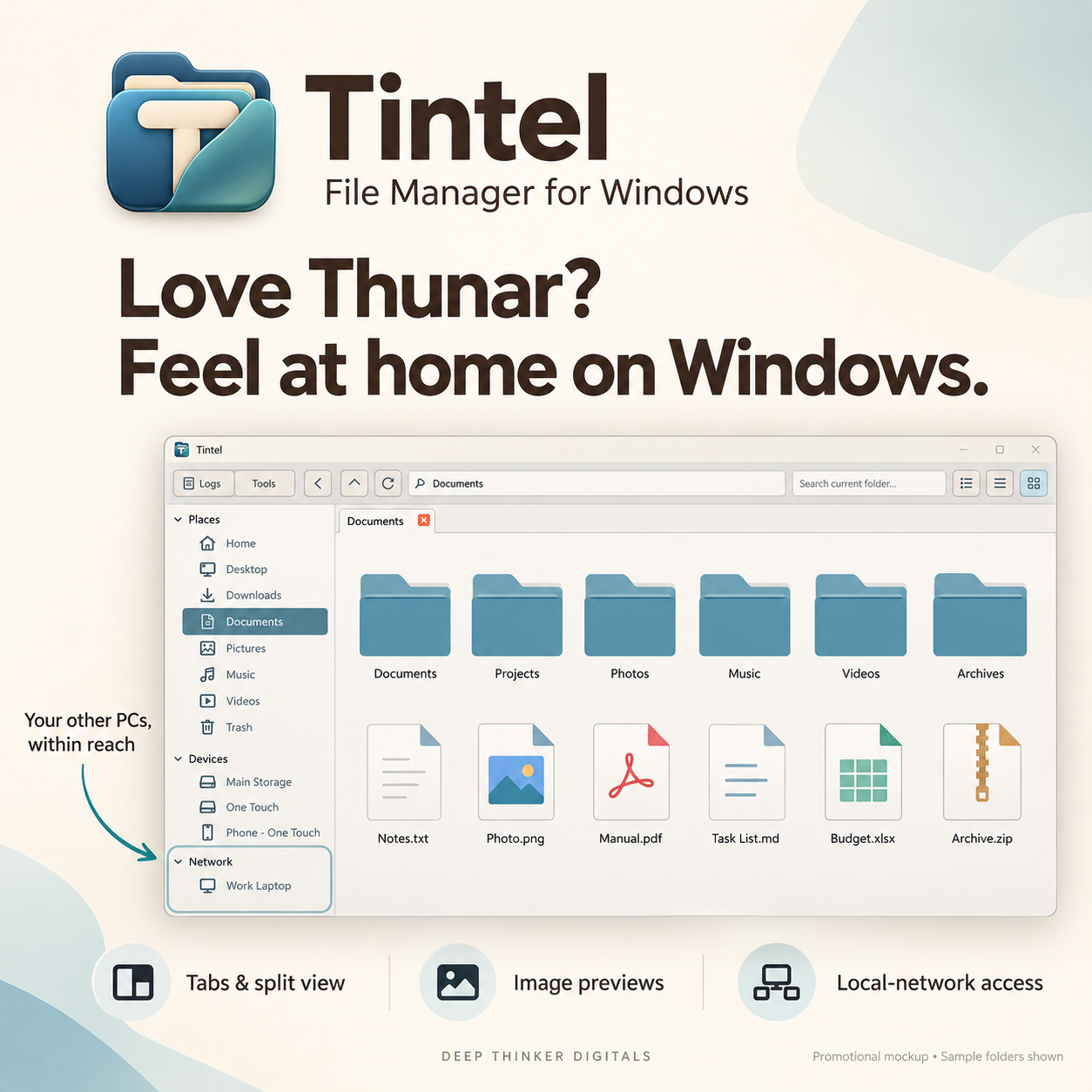
Tintel brings a familiar, straightforward approach to managing files on your Windows PC. Its classic layout keeps your folders, favorite locations, connected devices and nearby Tintel computers within easy reach.
Whether you’re organizing documents, sorting image collections or moving files between computers, Tintel helps you keep your work organized.
Your other computers, within reach
Working between a desktop and a laptop? Open Tintel on both computers, connect them to the same local network and approve the pairing.
Once paired, you can browse the other computer’s shared Home folder and transfer files through an encrypted connection. It’s a convenient way to work across your computers using your local Wi-Fi or Ethernet network.
More room to work
- Tabs and split view: Keep multiple folders open and work with two locations side by side.
- Flexible browsing: Choose Icon, Compact or Details view to suit your files.
- Visual organization: Browse image thumbnails and recognize video files at a glance.
- Bulk renaming: Rename multiple files together with a preview of the changes.
- Background file tasks: Follow copy and move progress while continuing to browse.
- Everyday file tools: Create folders, organize files, make ZIP archives and choose applications with Open With.
A familiar workflow for Windows
If you enjoy Thunar’s classic style of file management, Tintel offers a similar browsing experience with its own Windows-focused tools and built-in access to paired Tintel computers.
Created by Zoilo Blanco · Deep Thinker Digitals
Local-network access requires Tintel running on both computers, approved pairing and a network that permits the connection. Access is to the paired computer’s shared Home folder.
Tintel is an independent application inspired by Thunar’s browsing style and is not affiliated with Thunar or Xfce.

Reviews
There are no reviews yet.